> For the complete documentation index, see [llms.txt](https://easify.gitbook.io/easify-box-bundle-builder-docs/llms.txt). Markdown versions of documentation pages are available by appending `.md` to page URLs; this page is available as [Markdown](https://easify.gitbook.io/easify-box-bundle-builder-docs/user-guide/visual-editor/free-gifts/setup-product-list-gift.md).
# Setup Product List: Gift
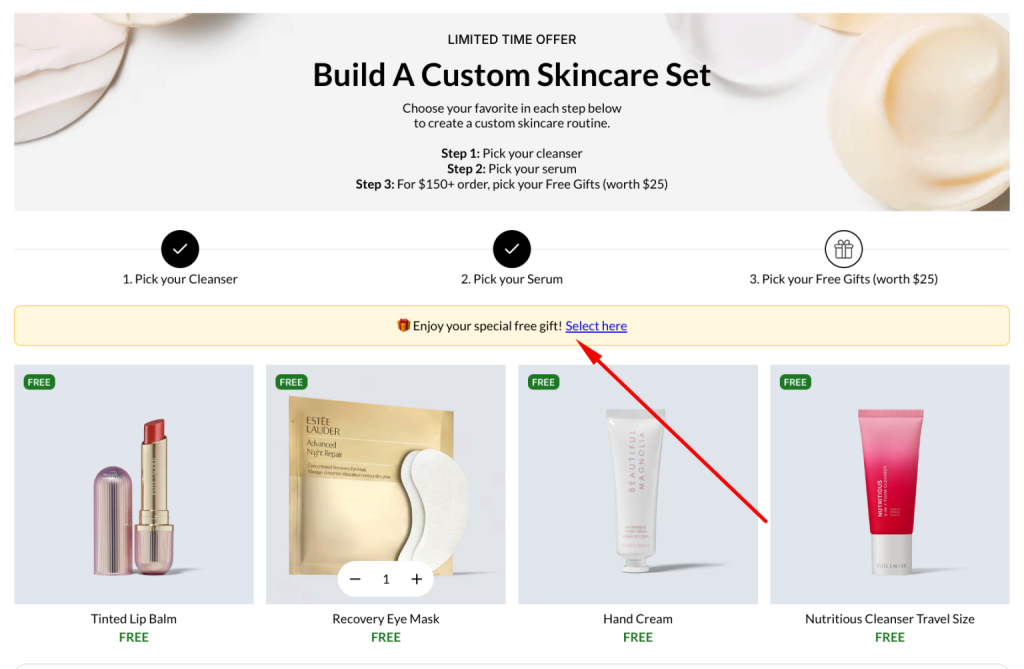
Free gifts are one of the most effective ways to reward customers and make your box stand out. If you want customers to *choose their own free gift,* you need more than just a discount — you need a place to show them what’s available.
The **Product List: Gift** element handles exactly that, displaying all selectable gifts directly inside your box.
{% hint style="info" %}
If you’d prefer a broader overview and want to explore **real use cases** first, check out our [Add Free Gifts to Box](/easify-box-bundle-builder-docs/user-guide/visual-editor/free-gifts.md) guide.
{% endhint %}
## How to Set up Product List: Gift
The **Product List: Gift** is used when customers select their free gift manually.
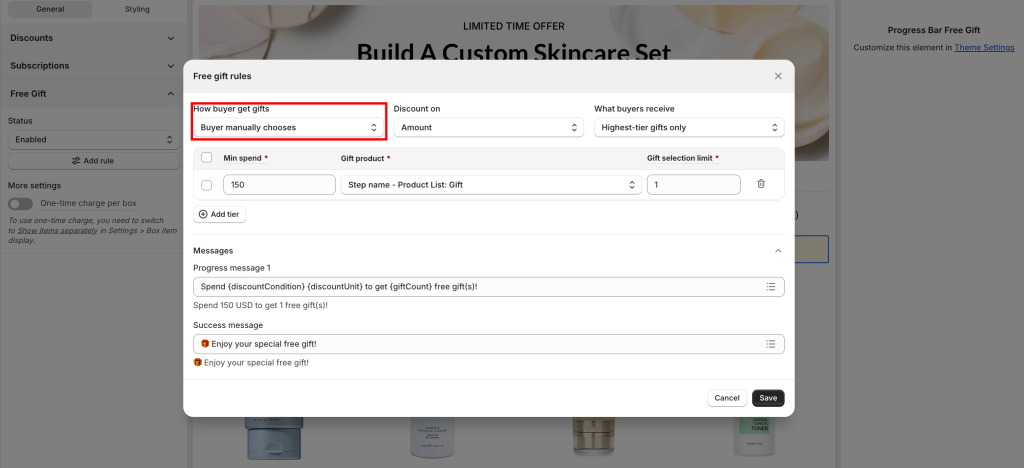
> Make sure your Free Gift setting is set to **Customer chooses manually**.\
> Otherwise, the Product List: Gift will not appear on the storefront.
{% stepper %}
{% step %}
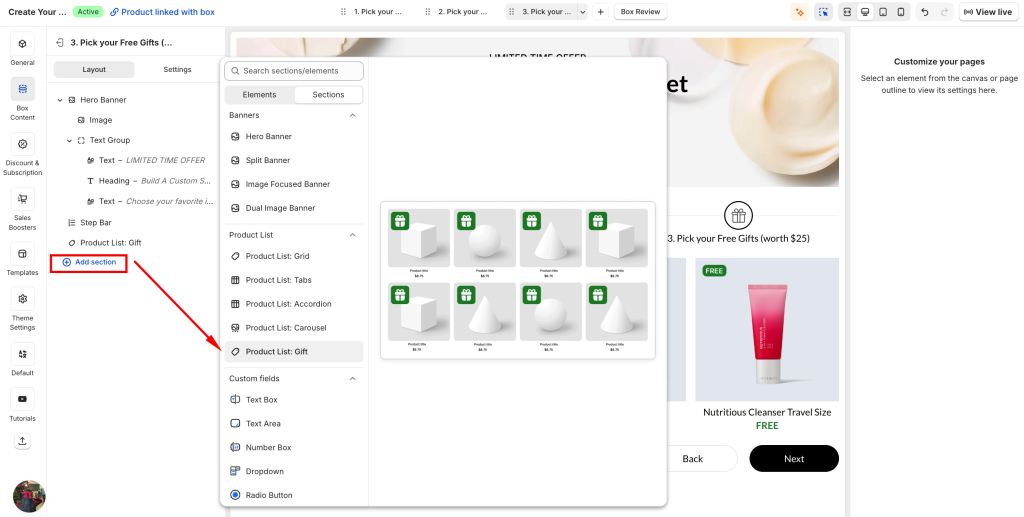
### Add Product List: Gift
Add a new **Product List: Gift** section in Box Content
This section is where all selectable free gifts will be displayed to customers.
{% endstep %}
{% step %}
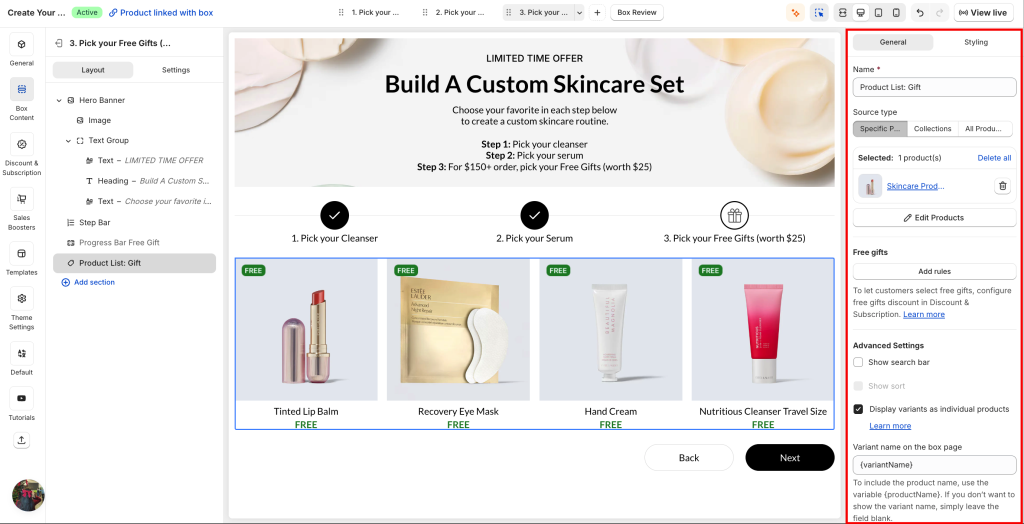
### Configure gift products
Set up the Product List: Gift similar to a standard product list:
* Add the products you want to offer as gifts
* Organize and manage them as needed
{% hint style="info" %}
The key difference: **all products in this list are treated as free gifts** with **0.00 price.**
{% endhint %}
{% endstep %}
{% step %}
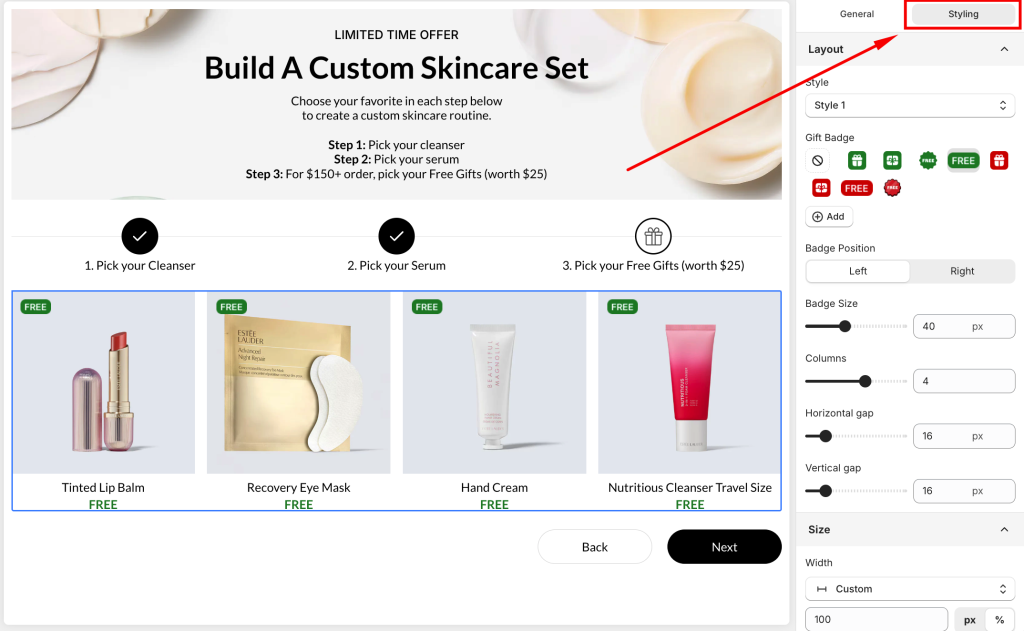
### Customize display
Go to the **Styling** tab to customize how the gift list appears.
You can:
* Choose between **2 display styles**
* Customize the **gift badge** (label, position, size)
This helps make free gifts more visible and appealing to customers.
{% endstep %}
{% step %}
### Working with Free Gifts Bar
{% hint style="info" %}
The **Product List: Gift** works together with the [**Free Gifts Bar**](https://easifyapps.com/docs/free-gifts-bar/).\
When customers qualify, they can click from the bar to choose their gift in this list.
{% endhint %}
{% endstep %}
{% endstepper %}
## Need Help?
Questions? Stuck somewhere?
We’re always here to help! Just reach out via our **in-app live chat** for 24/7 support.
---
# Agent Instructions
This documentation is published with GitBook. GitBook is the documentation platform designed so that both humans and AI agents can read, navigate, and reason over technical content effectively. Learn more at gitbook.com.
## Querying This Documentation
If you need additional information that is not directly available in this page, you can query the documentation dynamically by asking a question.
Perform an HTTP GET request on the current page URL with the `ask` query parameter:
```
GET https://easify.gitbook.io/easify-box-bundle-builder-docs/user-guide/visual-editor/free-gifts/setup-product-list-gift.md?ask=
```
The question should be specific, self-contained, and written in natural language.
The response will contain a direct answer to the question and relevant excerpts and sources from the documentation.
Use this mechanism when the answer is not explicitly present in the current page, you need clarification or additional context, or you want to retrieve related documentation sections.