> For the complete documentation index, see [llms.txt](https://easify.gitbook.io/easify-box-bundle-builder-docs/llms.txt). Markdown versions of documentation pages are available by appending `.md` to page URLs; this page is available as [Markdown](https://easify.gitbook.io/easify-box-bundle-builder-docs/user-guide/help-and-support/get-support.md).
# Get Support
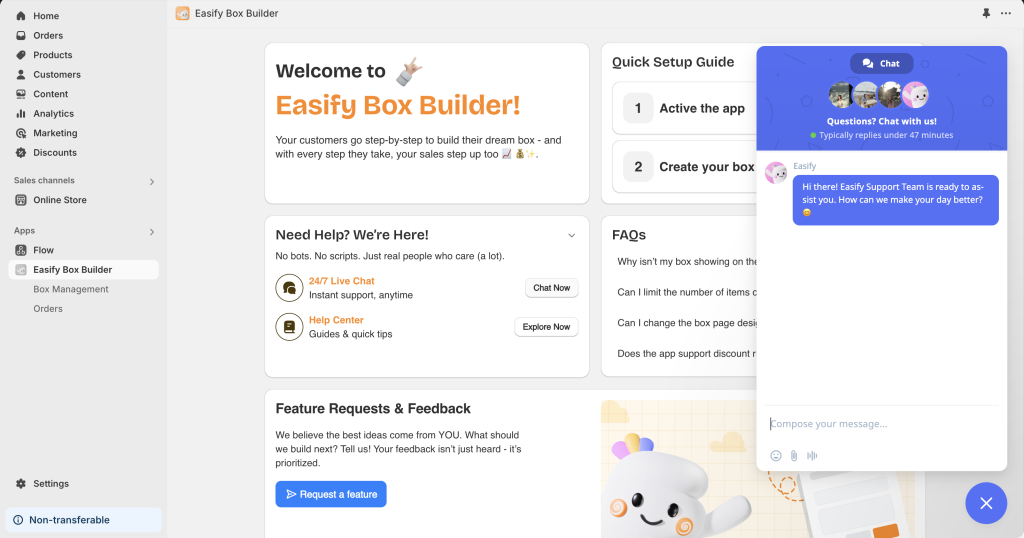
#### Contact Us 24/7 via In-App Live Chat
We’re here for you 24/7! Whether you’re setting up the app, need help understanding a feature, experiencing sync issues, or just need guidance, reach out to us through the in-app live chat. We’re always ready to assist you!
#### Request a Feature
Looking for a feature that isn’t available in the **Easify Box Builder** app? Let us know! Unlike other apps that only support existing features, the Easify team is always eager to improve.
If we can do it, we’ll add your request to our to-do list. Your satisfaction is our top priority, and your ideas and requirements are valuable resources for our app’s growth and development.
You can share your requests through the [Request a Feature form](https://easifyapps.com/feature-request-bb/) or contact us via the in-app live chat. We’re excited to hear from you!
---
# Agent Instructions
This documentation is published with GitBook. GitBook is the documentation platform designed so that both humans and AI agents can read, navigate, and reason over technical content effectively. Learn more at gitbook.com.
## Querying This Documentation
If you need additional information that is not directly available in this page, you can query the documentation dynamically by asking a question.
Perform an HTTP GET request on the current page URL with the `ask` query parameter:
```
GET https://easify.gitbook.io/easify-box-bundle-builder-docs/user-guide/help-and-support/get-support.md?ask=
```
The question should be specific, self-contained, and written in natural language.
The response will contain a direct answer to the question and relevant excerpts and sources from the documentation.
Use this mechanism when the answer is not explicitly present in the current page, you need clarification or additional context, or you want to retrieve related documentation sections.